Remember what you did when review time comes.
Save your achievements throughout the year, including feedback from email. When your review comes around, use them to draft a Brag Document that explains what you did and why it mattered.
Evaluation Access includes up to 3 Achievements and 1 active Brag Document. No credit card required.
- Save achievements as they happen
- Forward useful emails
- Add your review goals
- Generate a Brag Document
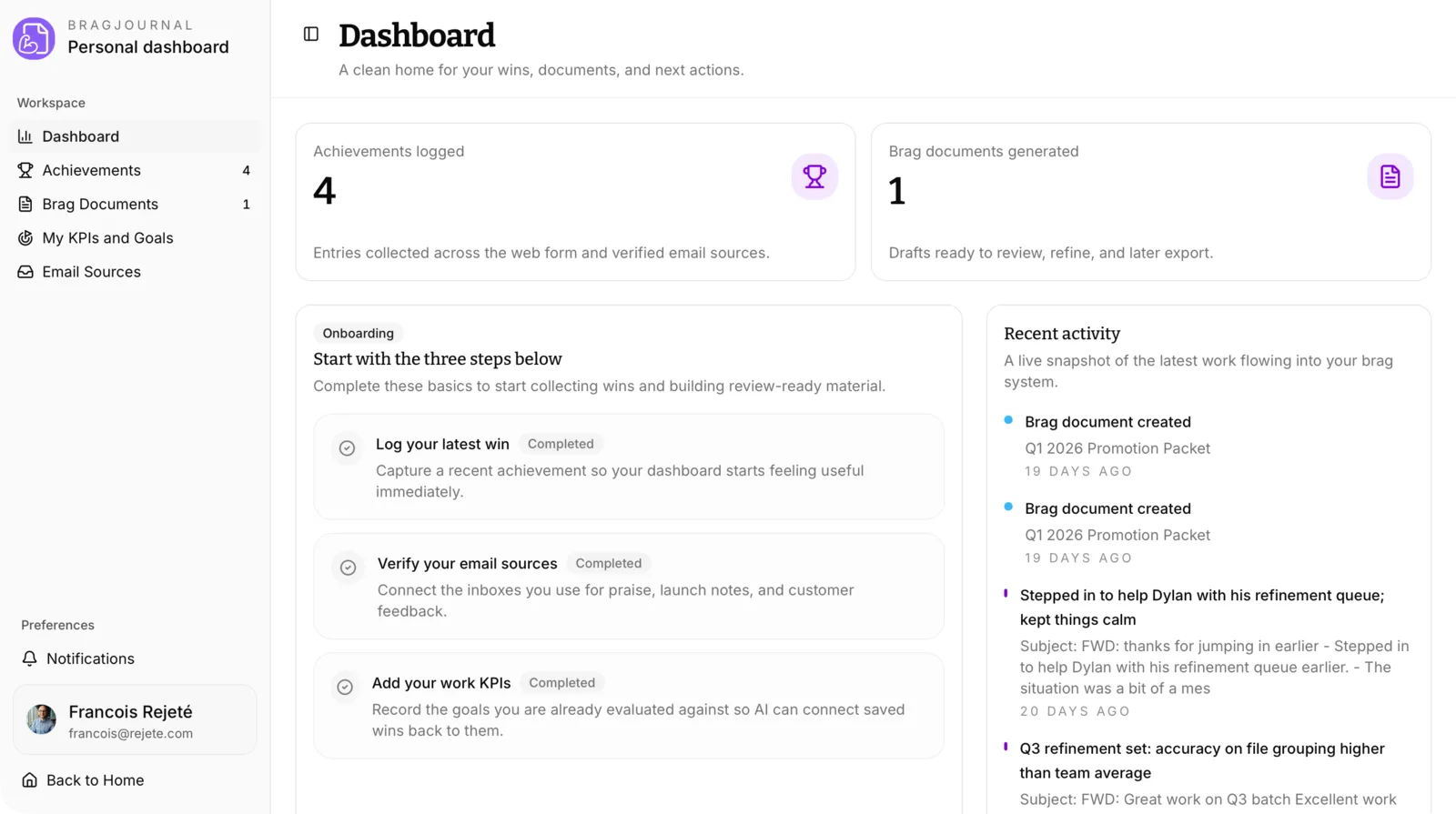
Save achievements as they happen
Record what you did, what changed, and any feedback you received while you still remember the details.
Forward emails worth keeping
Save customer praise, project updates, and feedback alongside your achievements.
Keep your review goals handy
Add the goals and KPIs your manager uses to evaluate your work.
Draft your Brag Document
Generate a draft from your achievements, then edit it for your review, promotion discussion, or manager update.
How it works
From a saved achievement to your next review.
Record your work during the year so you have the details when you need to write about it.
Capture
Log the work as it happens
Add achievements manually on the website or send them as a quick email.
Organize
Add your review goals
Save your review goals so BragJournal can use them when drafting your Brag Document.
Generate
Create a draft when review season arrives
Choose the period and achievements to include in your Brag Document.
01 · Capture
Save the details you’ll want later.
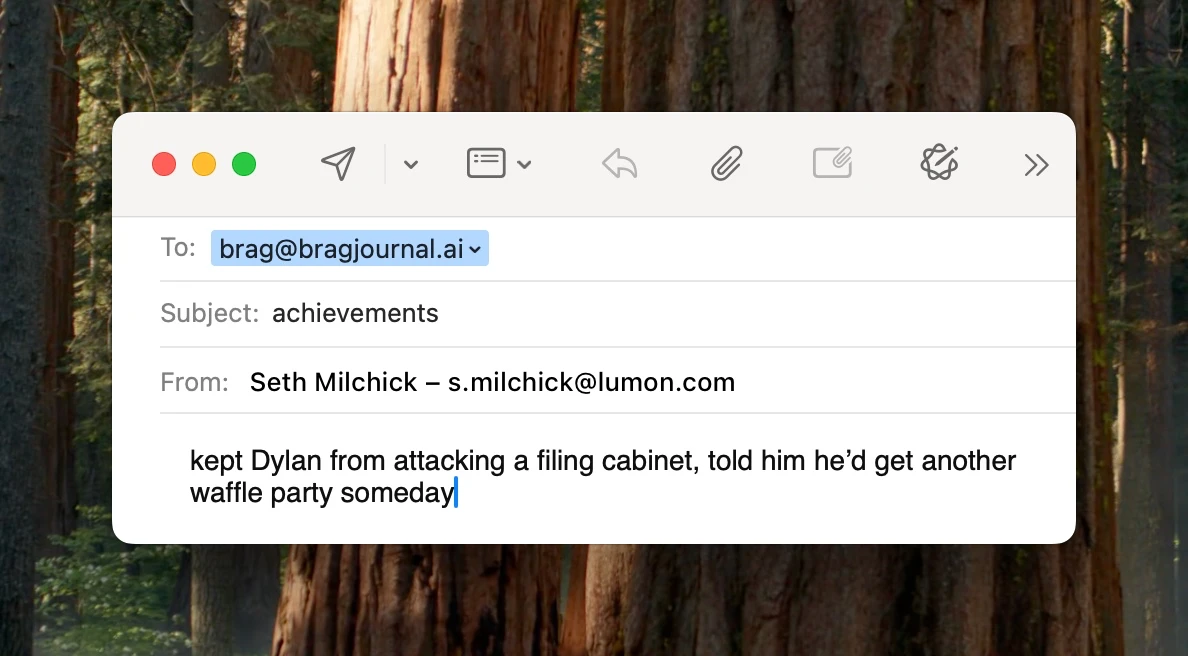
Write an Achievement yourself, or verify your email address and forward a message. BragJournal uses it to record an Achievement for you.
02 · Strengthen
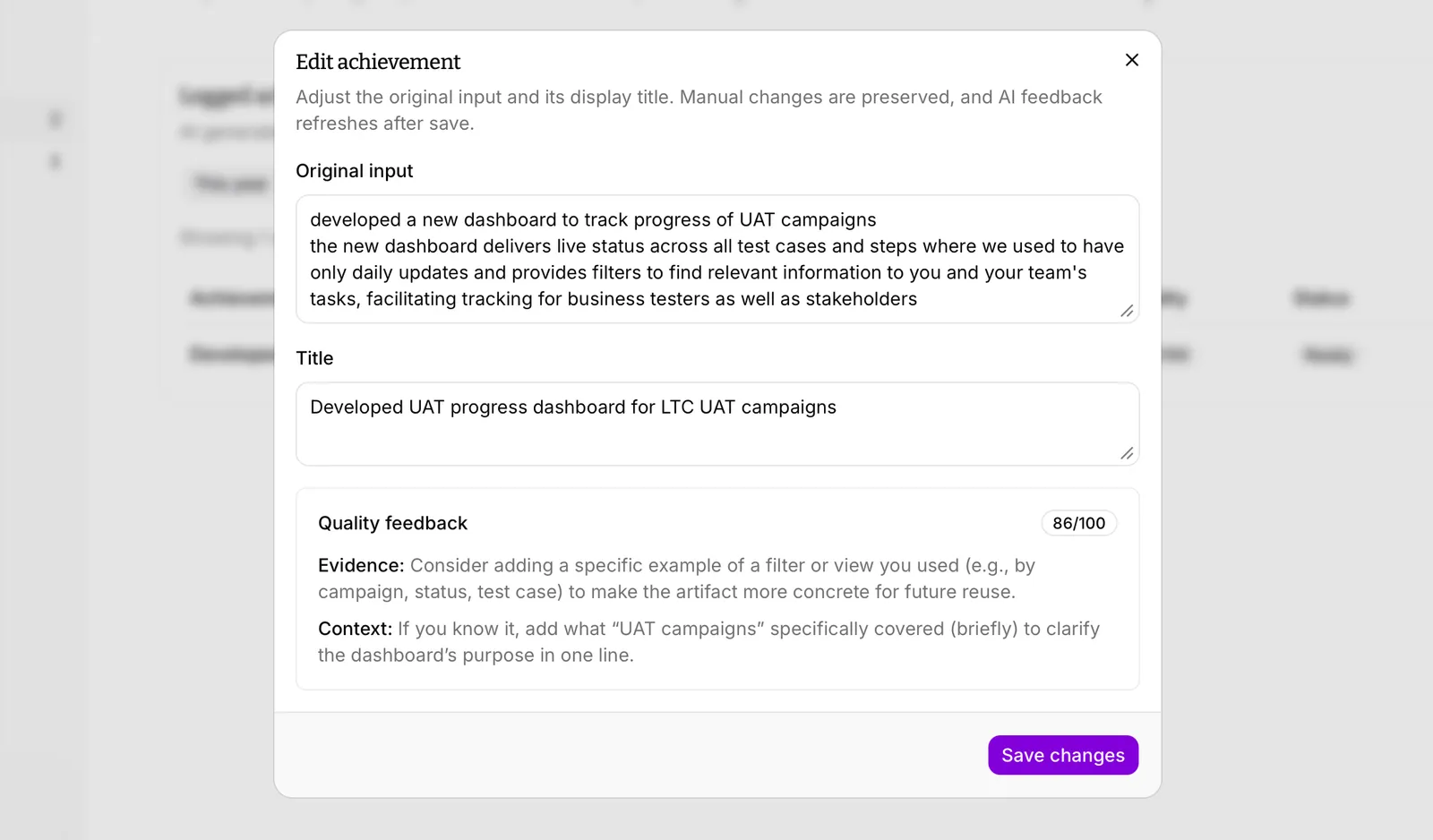
Fill in the missing details.
Get suggestions for details to add, such as your role in the project or a result you can measure.
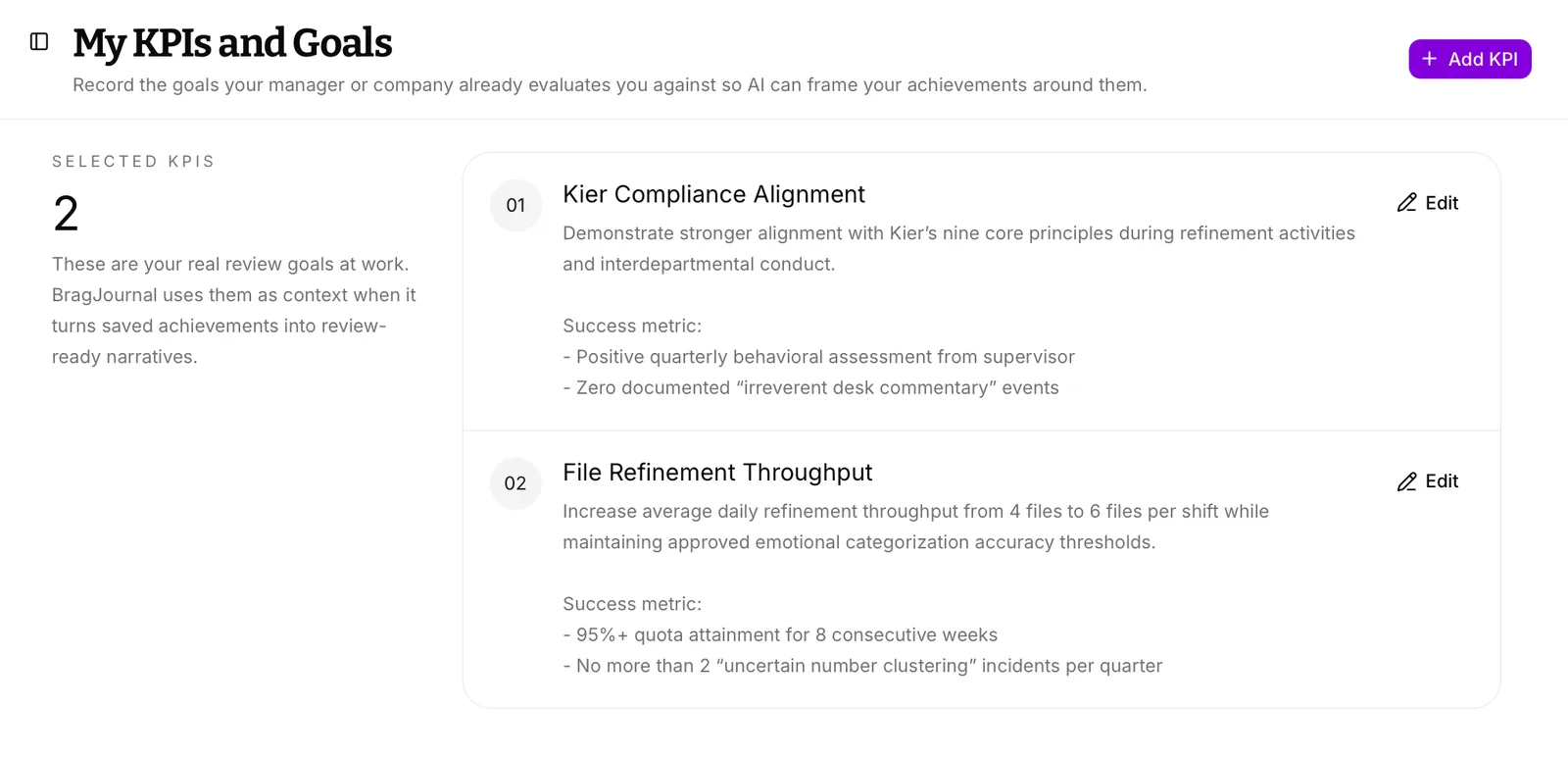
03 · Set context
Add what you’re evaluated on.
Save your Review Goals, including KPIs and competencies. BragJournal uses them to connect your achievements to your review criteria.
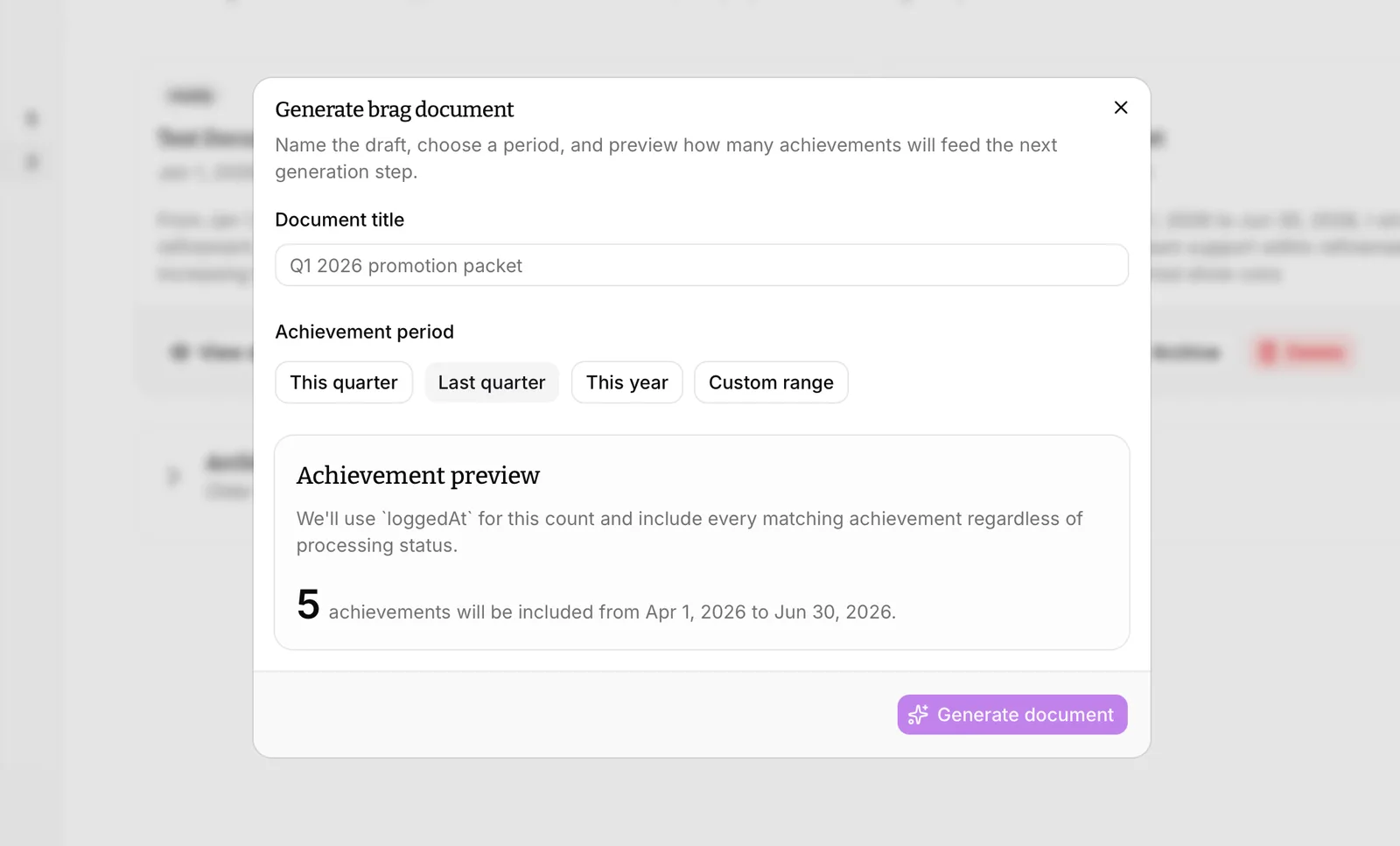
04 · Choose
Choose what goes into your review.
Choose an Achievement Period that matches your review, then select the Achievements you want to include.
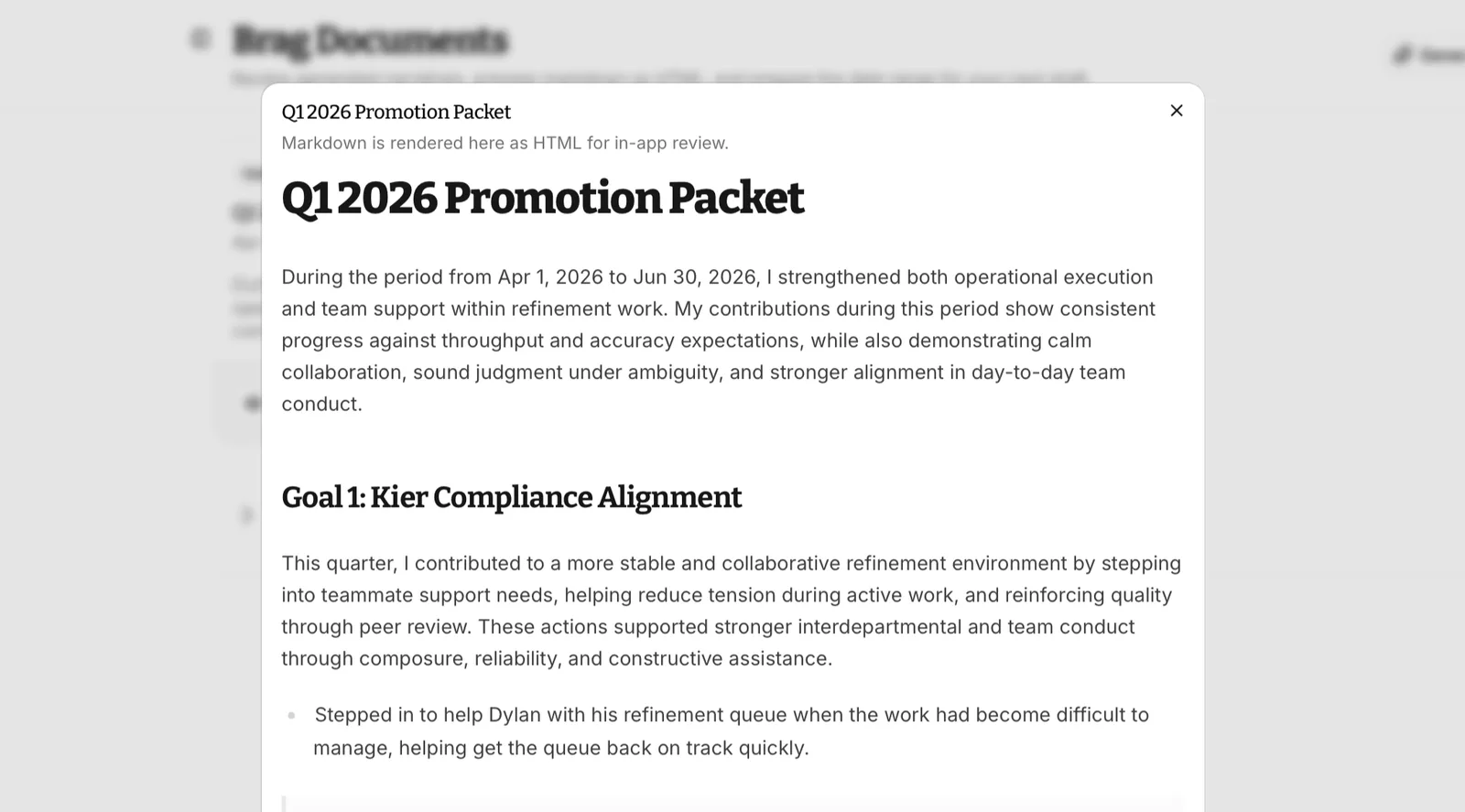
05 · Generate
Get a draft you can work with.
BragJournal drafts a Brag Document from your selected Achievements and Review Goals. Check the details and edit it to sound like you before sharing it.
Pricing
Plans start at $6 a month
Try BragJournal with Evaluation Access, then choose monthly, yearly, or a one-time payment for lifetime access.
Compare plansStandard plan
Pro Monthly
$6
/month
Pay $6 each month. Cancel when you no longer need it.
- Achievement capture and organization
- Goals and KPI context
- AI-generated brag documents
Limited-time offer
Early Users Offer
$45
one-time
Pay once for lifetime access to BragJournal.
- Achievement capture and organization
- Goals and KPI context
- AI-generated brag documents
One payment for lifetime access. Available for a limited time.
Best recurring value
Pro Yearly
$50
/year
Pay $50 for a year of BragJournal.
- Achievement capture and organization
- Goals and KPI context
- AI-generated brag documents
Get started
Start with one achievement.
Think of something you finished, a problem you solved, or feedback you received this week. Save it now so you can find it at your next review.